Event Log
The Event Log module provides comprehensive tracking and monitoring of vessel activities and events within the AOMP. This feature allows users to query, filter, and analyze historical vessel events for operational insights and compliance reporting.
Overview
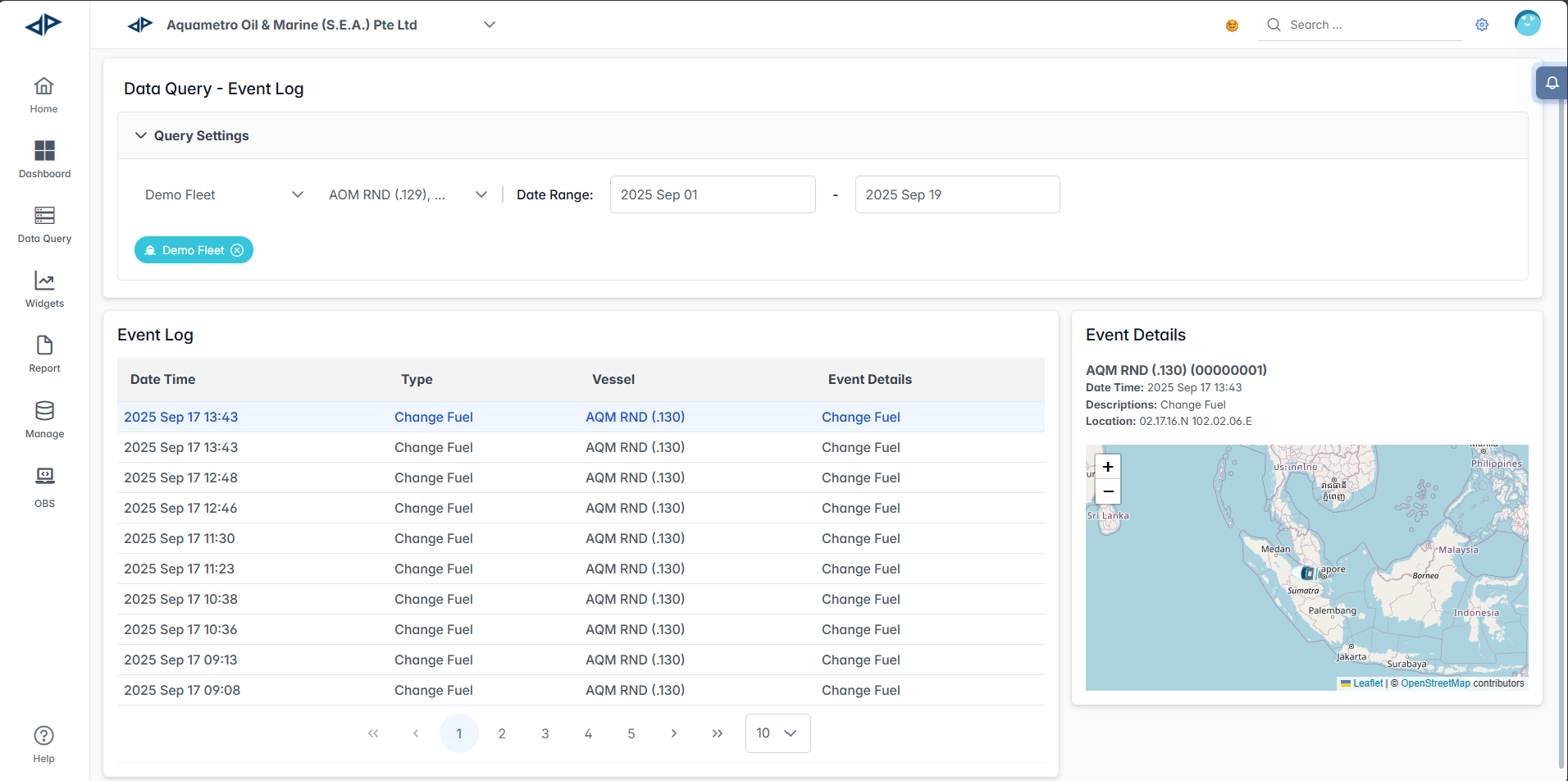
The Event Log interface displays chronological records of vessel activities. Each log entry contains detailed information such as timestamp, event type, vessel identification, and geographical coordinates.
Interface Components
Query Settings Panel
The Query Settings panel allows you to customize your search parameters:

- Fleets Selector: Choose one or more fleets to monitor using the multi-select dropdown.
- Vessels Selector: Select one or more vessels from the filtered list, which updates based on the selected fleets.
- Date Range: Set start and end dates to filter events within a specific timeframe
- Start Date: Use the calendar picker to select the beginning of your query period
- End Date: Use the calendar picker to select the end of your query period
- Search Button: Whenever you change any of the above options, the Search button appears. Click it to display all event logs based on your selected criteria.
Event Log Table
The main table displays event records with the following columns:
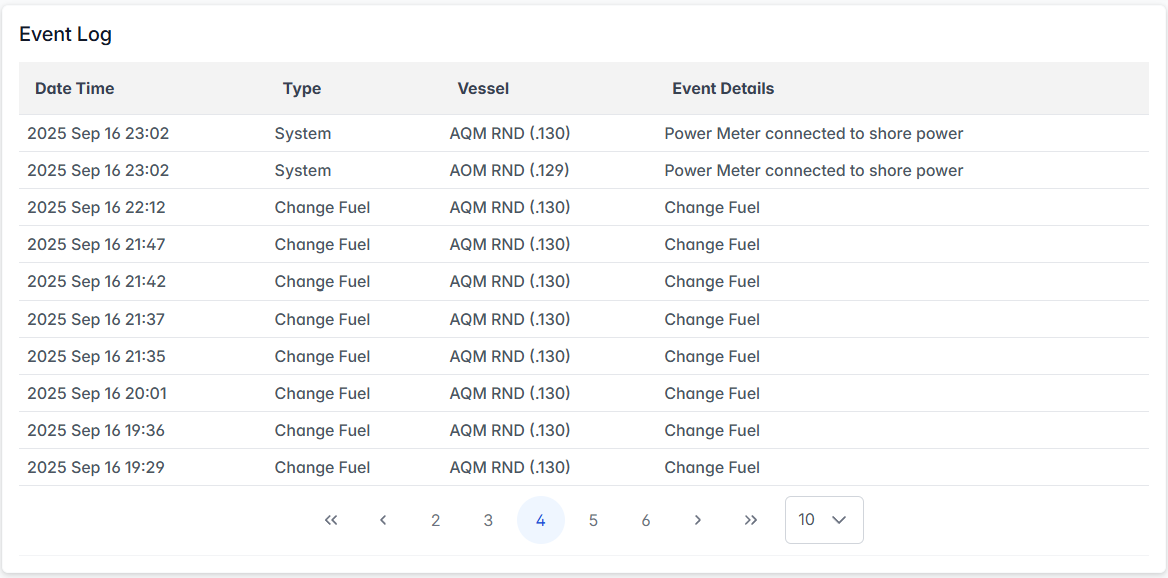
- Date Time: Timestamp of when the event occurred (format: YYYY MMM DD HH:MM)
- Type: Category of the event
- Vessel: Vessel identifier and name
- Event Details: Brief description or additional context about the event
Navigation & Pagination

- Page Navigation: Use the numbered buttons (1, 2, 3, etc.) at the bottom to browse through multiple pages of results
- Items per Page: Adjust the number of events displayed per page using the dropdown (default: 10)
- Quick Navigation: Use the arrow buttons (
<for previous page,>for next page,<<for first page, and>>for last page) to quickly move between pages of results.
Event Details Panel
When you select an event from the table, the Event Details panel on the right displays:
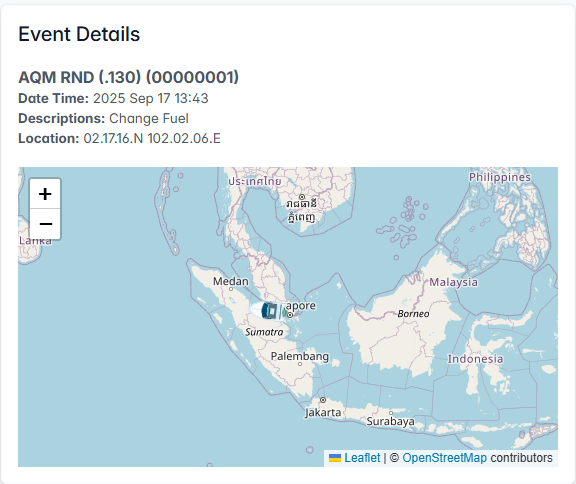
- Vessel Information: Show vessel name and vessel IMO number
- Detailed Timestamp: Precise date and time of the event
- Event Description: Comprehensive details about what occurred
- Location Data: Latitude and longitude (GPS coordinates) where the event took place
- Interactive Map: Visual representation of the vessel's location with zoom controls (
+to zoom in,-to zoom out)
The Event Log module enables users to track, filter, and analyze vessel activities and events for operational monitoring and compliance.